
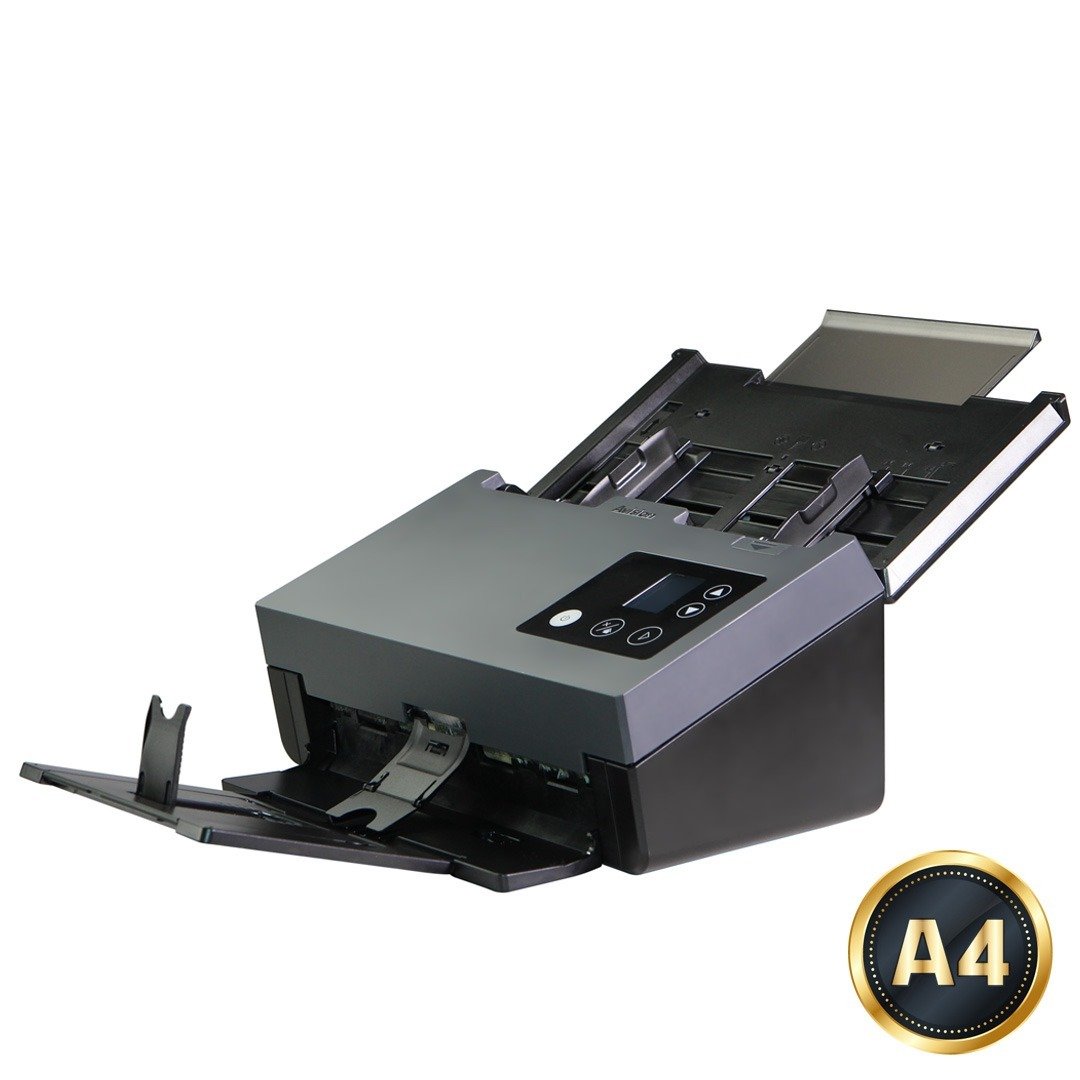
AD3100
Product Details

▍Built-In Advanced Image ProcessorEmbedded with Avision-developed image processor , the scanned image can be automatically cropped, straightened, and optimized with enhanced speed. |
|
▍Ensure Stable Feeding Ability with the Advanced Paper Handling DesignThe advanced paperweight and feeding rollers are designed to ensure reliable paper feeding at the maximum capacity even with thin paper in various environmental conditions (very high or low temperature and humidity). |
|
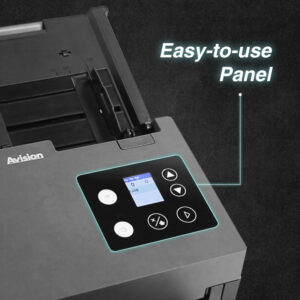
▍Color, and Graphical LCD DisplayThe AD3100 are easy to use through the LCD display and buttons on the panel. By selecting your destination and pressing the “Scan” button, the scan can be done and the scanned image can be sent to your specified destination application such as e-mail, printer, or your favorable image-editing software application. Up to nine frequently used scan settings and destinations can be preset for different scanning needs.
|
|
|
|
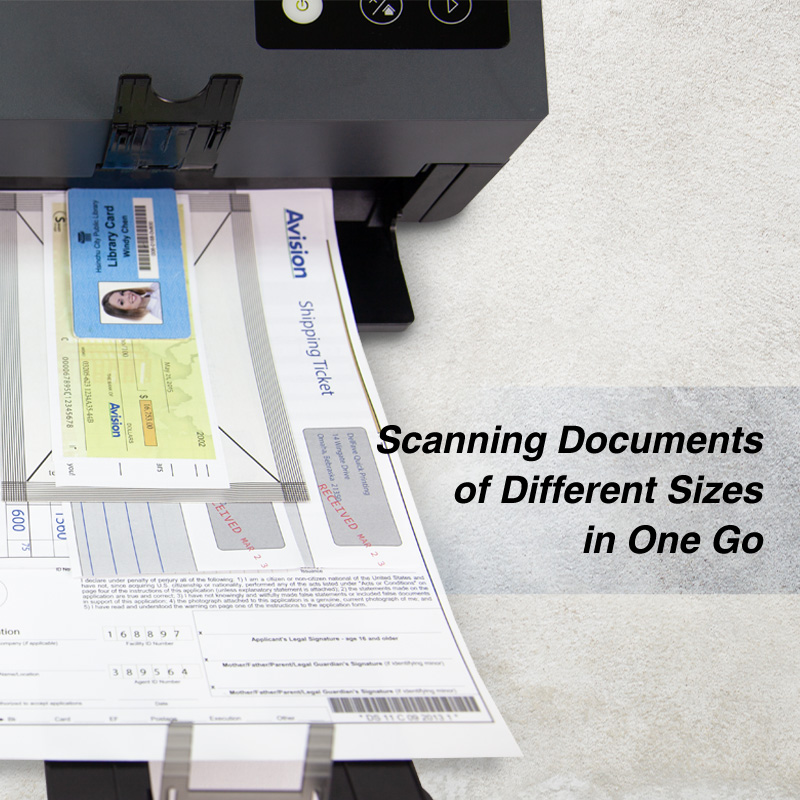
▍Duplex Scanners Suited for Document and CardsThanks to the advanced straight paper path and image processing technology, mixed batches of documents with varies sizes and weights can be scanned, appropriately cropped, deskewed, and ready to use. Scan size accepts paper from receipts (2” x 2”) to business document (8.5 x 14 in.). The auto document feeder is also robust enough to feed paper up to 413 g/m2 (110 lbs) and embossed hard cards such as ID cards, credit cards, driver’s license, and health insurance card up to 1.25mm in thickness. |
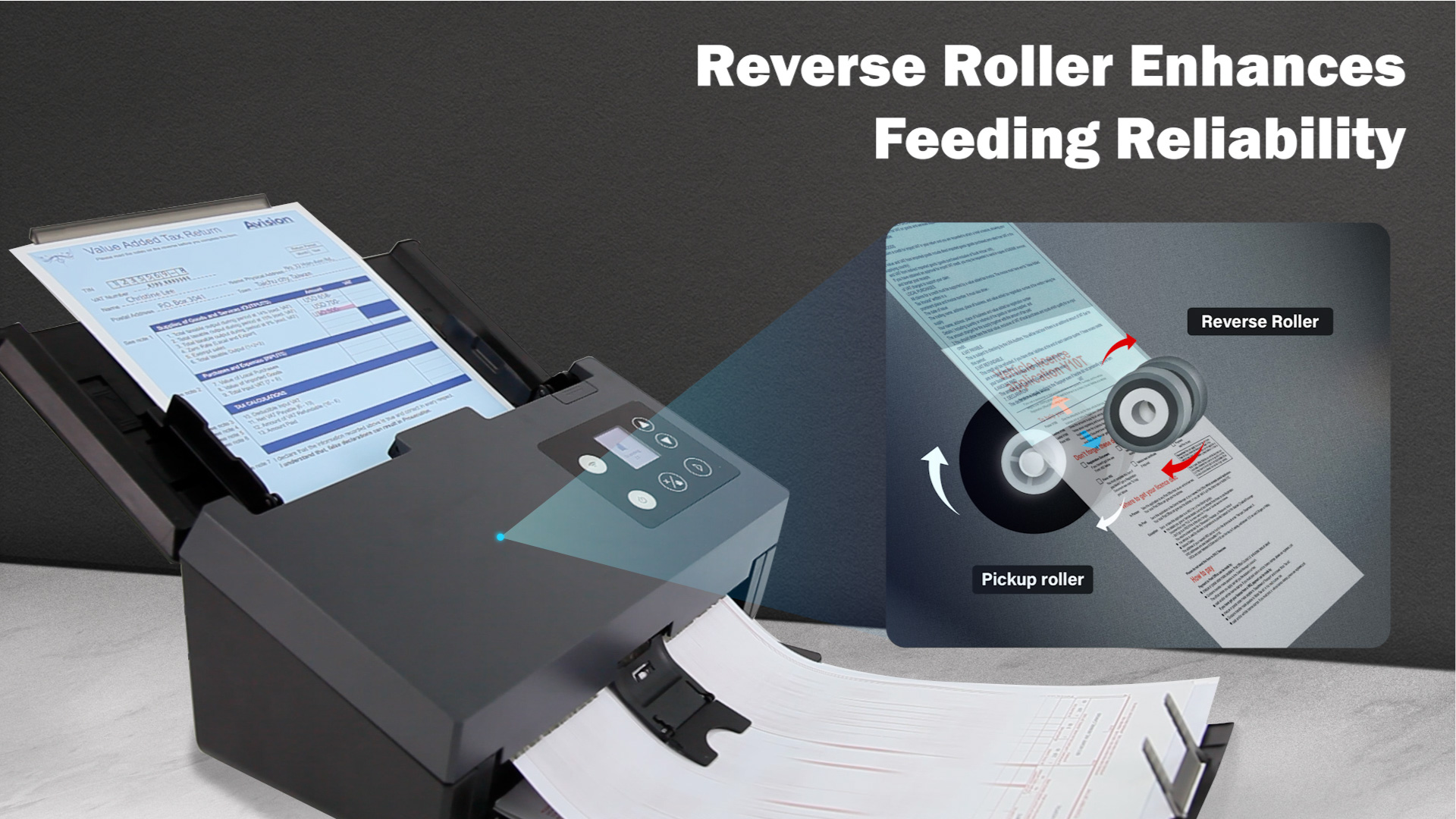
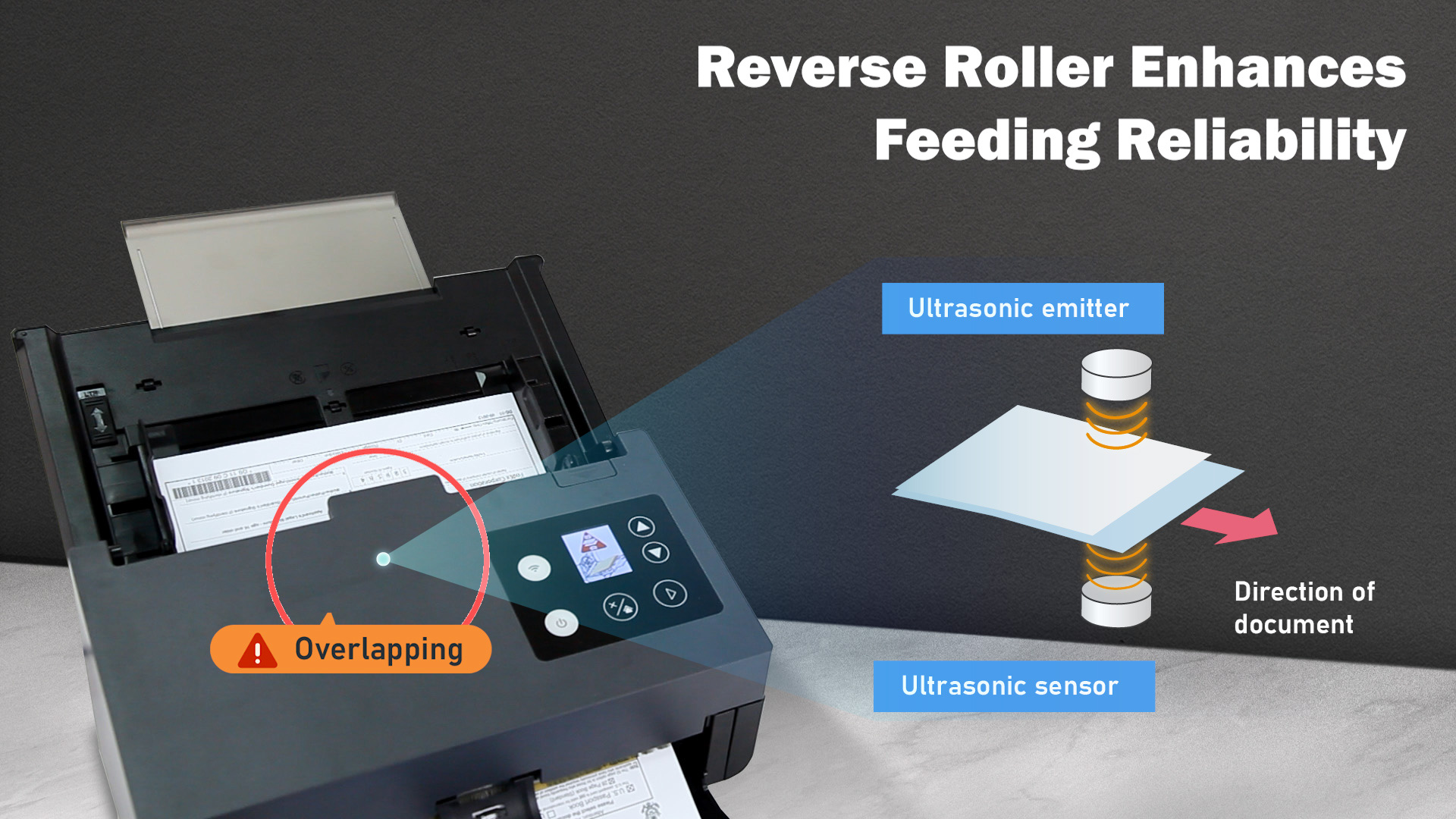
▍Reverse Roller Enhances Feeding ReliabilityDesigned with the innovative reverse roller for advanced paper separation capability, the AD3100 deliver outstanding feeding reliability and operating productivity by effectively reducing the risk of a multi-feed or paper jam.
|
|
|
|
▍Ultrasonic Multi-Feed DetectionWith the ultrasonic multi-feed detection capability, the scanner allows you to set overlapped paper by detecting paper thickness between documents. The ultrasonic function can be turned off when scanning document with labels, sticky notes, or taped receipts. This innovative design prevents double feeding and effectively scans documents of different weights or thickness.
|
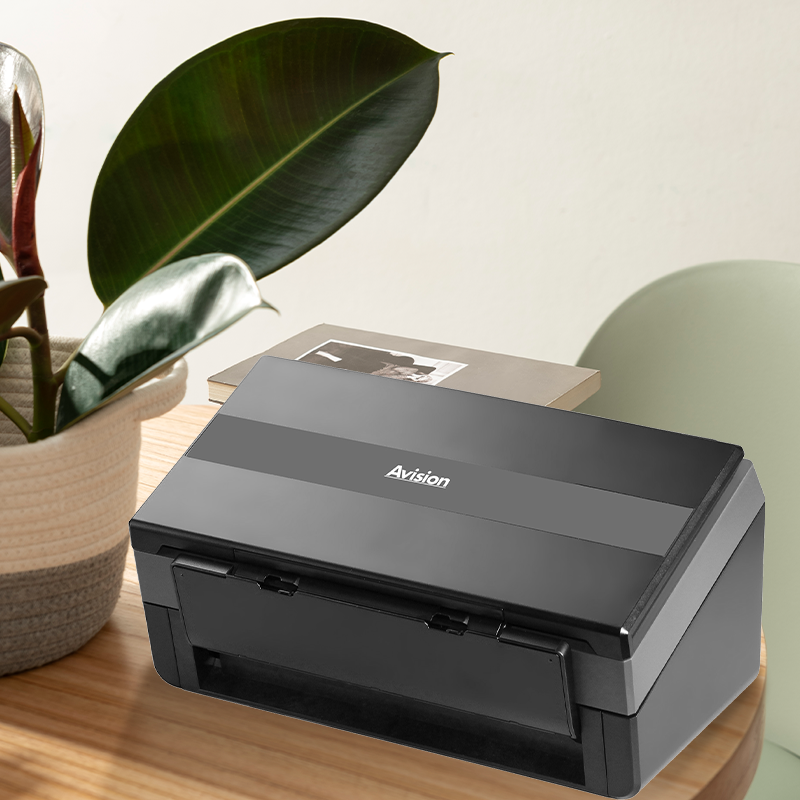
▍Compact Design to Save Your SpaceThe AD3100 feature a unique and stylish design as both the input and output paper tray can be folded when not in use. The paper tray also helps to protect the unit from dust. Unlike bulky conventional scanners, the slim AD3100 can be easily carried and fit on a desk without taking up a lot of space.
|
|
▍Powerful Bundled Software ApplicationsThe AD3100 come with TWAIN and ISIS drivers, and are bundled with a suite of powerful software applications that include Avision Button Manager, AVScan , and PaperPort. With Button Manager, you can create searchable PDFs, scan and send images to e-mail, printer, or clouds servers such as Google DriveTM, or Evernote® with just a simple press of a button. The AVScan andPaperPort are highly effective image processing and document management software that helps you streamline your task more efficiently. |
|
▍Features
- Fast, 100ppm/200ipm scanning in color, grayscale and monochrome
- Auto crop and deskew a document with the advanced Avision-developed image processing unit to enhance the scanning speed
- Support form paper up to 8.5 x 14 in.
- Daily duty cycle up to 15,000 sheets
- Robust 100-page automatic document feeder (80 g/m2, 20 lb)
- Reverse roller technology delivers outstanding feeding reliability
- Hard and embossed card scanning up to 1.25 mm in thickness in portrait or landscape feeding
- Press and scan to cloud servers via the bundled software Button Manager
- Earth-friendly LED technology
- Long page scanning: 5540 mm (218”) (300 dpi, duplex)/6000 mm (240”) (<200 dpi)
- Auto power off setting
▎Certification mark

▎Instruction
Icon / LED

User Check
1. Check if the scanner has been connected to a computer via a USB cable.
AD200/300 series scanner

AD6000/8000 series scanner

2. Check if the scanner driver has been installed.
3. Or you may check if the right driver has been successfully installed by choosing Device Manager>Image Device from the Control Panel.

4. Or else try to replace another USB cable.
▎Software
Others: Virtual Scanner Link Does Not Find Your Scanner.
User Check
1. Check if the scanner mode supprot network function and had an IP address. If your scanner is located in difference network segment, add the IP manually on the Virtual Scanner Link.
For example, if the IP of your PC is 10.1.20.xxx and the IP of your scanner is 10.1.30.xxx, then you need to add the scanner’s IP manually.

▎Hardware Related
Error Code 3003: DRAM R/W Test Error.
Icon

User Check
1. Turn your scanner off and on.
2. If the problem still happen, please kindly check the serial number on your scanner label first, then click the following “Ask to help” option to full the form then feedback to us, thanks.

Error Code 2024: NVRAM R/W Test Error.
Icon

User Check
1. Turn your scanner off and on.
2. If the problem still happen, please kindly check the serial number on your scanner label first, then click the following “Ask to help” option to full the form then feedback to us, thanks.
Scanner Type: simple
Scanning color mode: Color
Document Size: A4
Scanning Speed: Faster than 100 ppm
Capacity: Flatbed Capacity
Technology: CMOS-CIS
Light Source: LED
Memory Size: 512MB SDRAM
Document feeding mode: ADF
Optical Resolution (dpi): Flatbed:1200 x 1200 dpi, ADF:600 x 600 dpi
Output Resolution (dpi): 1200 x 1200 dpi
File Formats: BMP, PNG, GIF, JPEG, Single-Page PDF, Multi-Page PDF, Multi-TIFF, TIFF, RTF, TXT, OCR( for iScan only ), XPS, DOC, XLS, PPT, DOCX, XLSX, PPTX, HTML
Halftone Patterns: Dither and Error Diffusion
Grayscale mode: 16-bit input 8-bit output
Color mode: 48-bit input 24-bit output
Dimensions (WxDxH): Maximum:316 x 680 x 239 mm ( 12.4 x 26.8 x 9.4 in. ), Minimum:316 x 191 x 168 mm ( 12.4 x 7.5 x 6.6 in. )
Network connection: RJ-45 Ethernet 10/100/1000 Mb
Interface: USB3.2 Gen1x1
Weight: 4.7 kg
Acoustical Noise: Operation < 63 dB ; Ready < 45 dB
Recommended Daily Volume: Up to 15,000 pages
OS Support: Win 7, Win 8, Win 10, Win11, Fedora, openSUSE, Debian, Ubuntu, macOS10.12~10.15, macOS11 Big Sur, macOS12 Monterey, macOS13 Ventura, macOS14 Sonoma
Bundled Software: Button Manager, PaperPort, AVScan, Virtual Scanner Link
Ultrasonic paper jam detection: Yes
Long Paper Mode: Up to 200 dpi Color Duplex 240 in. ( 6096 mm );Up to 300 dpi Color Duplex 218 in. ( 5540 mm );Up to 600 dpi Color Duplex 59 in. ( 1500 mm )
ADF paper width: Up to 242 mm ( 9.5” )
Card Scan: Embossed card ( Thickness 1.25 mm )
ADF Minimum: 50 x 50 mm
ADF Maximum: 216 x 356 mm ( Legal )( 8.5 x 14 in. )
Flatbed Maximum: 216 x 356 mm (Legal) ( 8.5 x 14 in )
ADF Capacity: 100 sheets ( A4 : 80 g/m² or 20 lb. )
Paper Weight: 27g ~ 413 g/m² ( 7 to 110 lb )
B/W @ 200dpi, A4: Simplex : 100 ppm;Duplex : 200 ipm, Flatbed : 1.5 sec
B/W @ 300dpi, A4: Simplex : 100 ppm;Duplex : 200 ipm, Flatbed : 1.5 sec
Color @ 200dpi, A4: Simplex : 100 ppm;Duplex : 200 ipm, Flatbed : 1.5 sec
Color @ 300dpi, A4: Flatbed : 1.5 sec, Simplex : 100 ppm ; Duplex : 200 ipm
| AD3100 | Download |